If you use autopay, then you’ll need to update your payment details to avoid a fine
Whether it’s through the tunnel or over the bridge, whichever way you tackle Dartford Crossing you’re charged £2-£6 for the luxury of feeling like you’re going to be crushed by lorries.
If you have your card set up to autopay, you’ll be used to payment being taken automatically. But in July 2023, Dart Charge advised that payments would fail after 28 July unless you go in and update your payment details. This could land you a £70 fine the next time you drive through, something that will, no doubt, catch out some regular crossers.
Here are details on the 5-minute task that you’ll need to do to avoid it.
Some articles on the site contain affiliate links, which provide a small commission to help fund our work. However, they won’t affect the price you pay or our editorial independence. Read more here.
What is the Dart Charge?
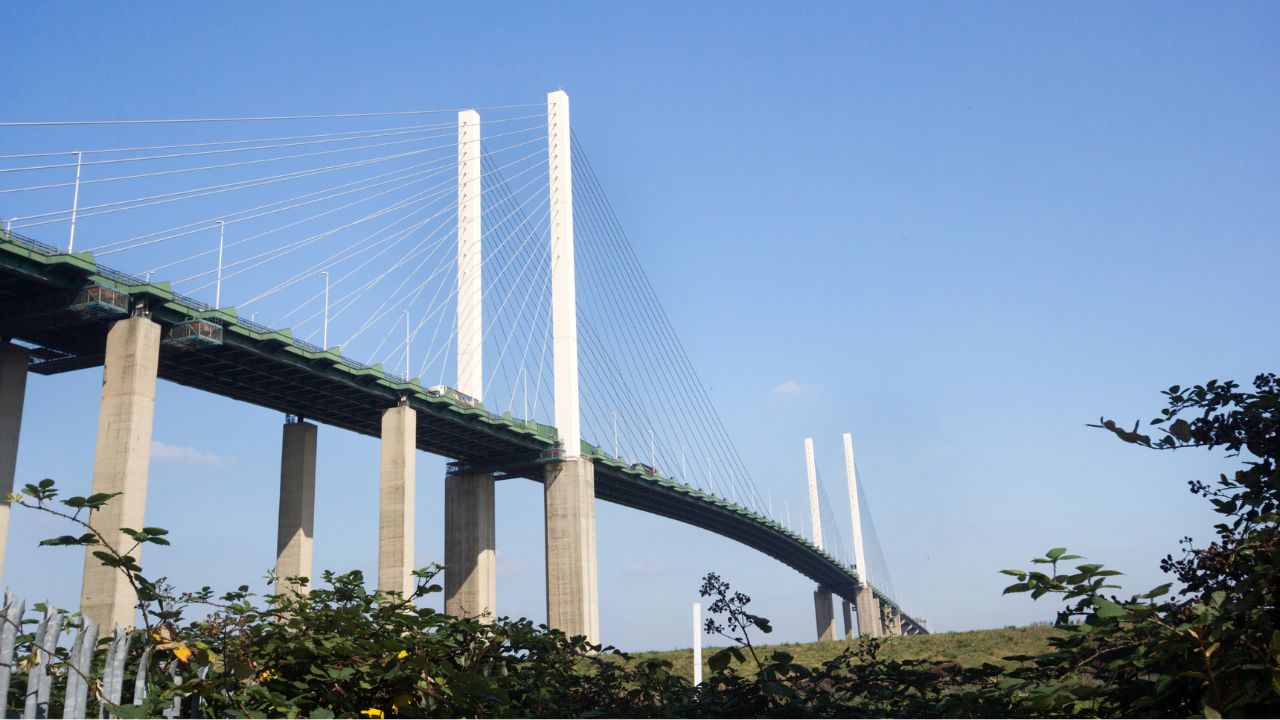
The Dart Charge is the toll for using Dartford Crossing, which includes Dartford Tunnel and Dartford Bridge, and connects Kent and Essex where the M25 crosses the Thames. It’s a key way for people traversing the country to avoid London, and it can get busy!
You need to pay by midnight after the day you use the crossing. The most common way to do this is as a one-off or via an automated pay-as-you-go account you set up in advance, though other options include a phone line and cash-based “Payzone”.
How much does the Dartford Crossing cost?
A class B car can cross for £2.50, or £2 if you’ve got an account. Mopeds and motorcycles are free.
If you drive a class C bus, coach or van, you’ll spend £3 on the crossing, or £2.63 if you have an account. Class D vehicles cost £6, or £5.19 if you have an account.
The fine is £70 if you don’t pay by midnight the day after you cross. This is reduced to £35 if you pay within 14 days or increased to £105 if you don’t pay within 28 days.
What was the Dart Charge change?
Put simply, Dart Charge changed its service provider and some T&Cs. As of 28 July 2023, it can’t validate your payment card stored via the old system.
That means if you use the online payment system you need to re-enter your details before your next crossing, especially if you rely on the automated pay-as-you-go.
Pay-as-you-go is pretty standard practice for those who travel regularly through the tunnel, and even for drivers like me who have only been through 3 or 4 times but hate being fined for being forgetful.
You don’t need to worry about accidentally missing this change to the system if you usually pay the one-off charge manually, which you can do up until midnight the day after you cross, as you’ll be able to update your payment details when you pay.
If I get free crossings due to a disability, do I need to do anything?
If you get free vehicle tax due to a disability, you won’t need to do anything about this change as your vehicle will be checked as you cross through as usual.
Our podcast
Listen to Cash Chats, our award-winning podcast, presented by Steve Alderton and Editor James Andrews.
Episodes every Monday.
What do I need to do?
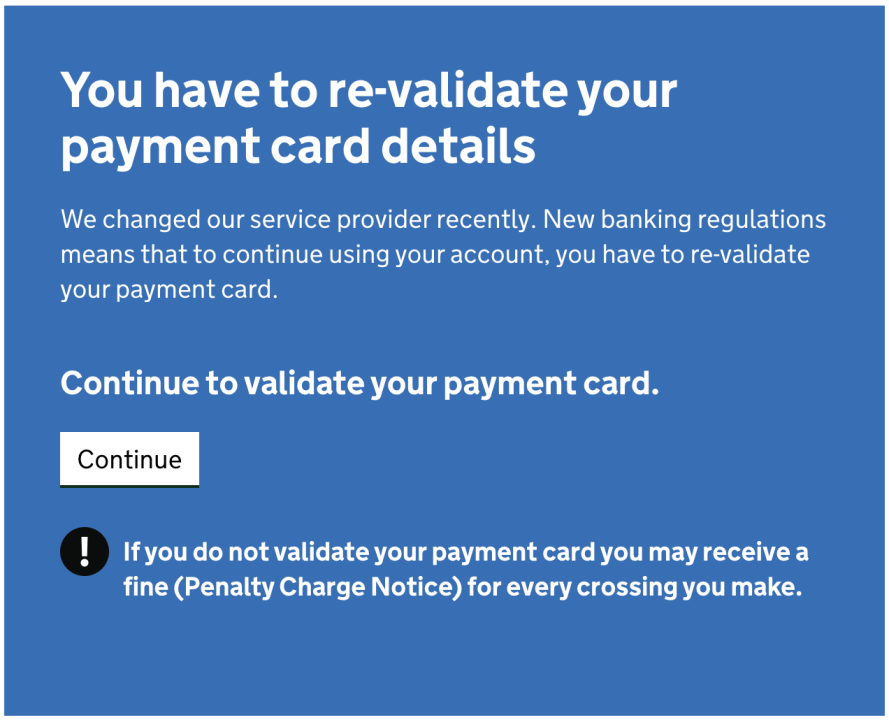
You need to log into your account, re-validate your payment card and potentially change your password for future payments to be taken.
The new service provider and terms and conditions came into play on 28 July 2023. If you’ve not done so already then you’ll be prompted to re-validate your card details once you’ve logged in, and you’ll simply need to enter the CVC code for a card you have on your account already. Once that’s done, you’ll be good to go.
What did the email say?
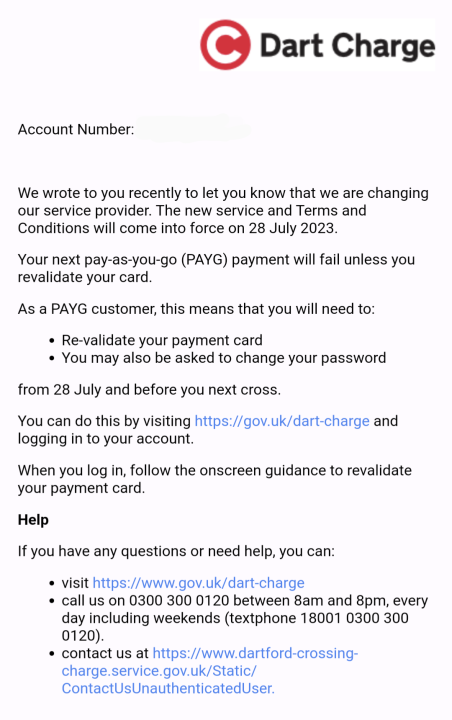
The email was sent only a week ahead of the upcoming change. It was very brief and simply said “Your next pay-as-you-go (PAYG) payment will fail unless you revalidate your card” with details on what you need to do.
It stated that you need to do this “from 28 July”, which suggests that doing so beforehand would not be sufficient.
How to re-validate your Dart Charge payment card
You’ll need to log into your account on the gov.uk website.
- Once logged in, select “your details” and go to “change your payment details”
- Select “change credit/debit card”
- Enter your details and select “make payment”
- You may need to approve a £0.00 transaction with your bank
- You’re all set
Get the best of our money saving content every week, straight to your inbox
Plus, new TopCashback customers get a high paying £18 welcome offer

Can I challenge a fine?
If you’ve come to this article because you didn’t know about the change and, as a result, have not paid for a crossing, you’ll likely have been fined for non-payment.
You can try to challenge the fine online, but the likely argument is that you were sent emails indicating that action was required. You’ll just need your registration number and the PCN number to hand to do an appeal.
Sold your car? Make sure you remove it from your Dart Charge account
If you’ve sold your car, one of the first things you should do is make sure you remove the car from your Dart Charge account – as well as any auto-pay parking apps or systems.
When I bought my car, I got a couple of crossings at the seller’s expense because they hadn’t removed my car from their account and I couldn’t add it as it was already on another account.
It only takes a few minutes to do but could save you a fortune if you wind up selling your car to a regular Dartford Tunnel user.